Daily tasks
Start with a clear list of what matters today, then focus on one task at a time.
For iPhone, Android, Mac, and Windows preview
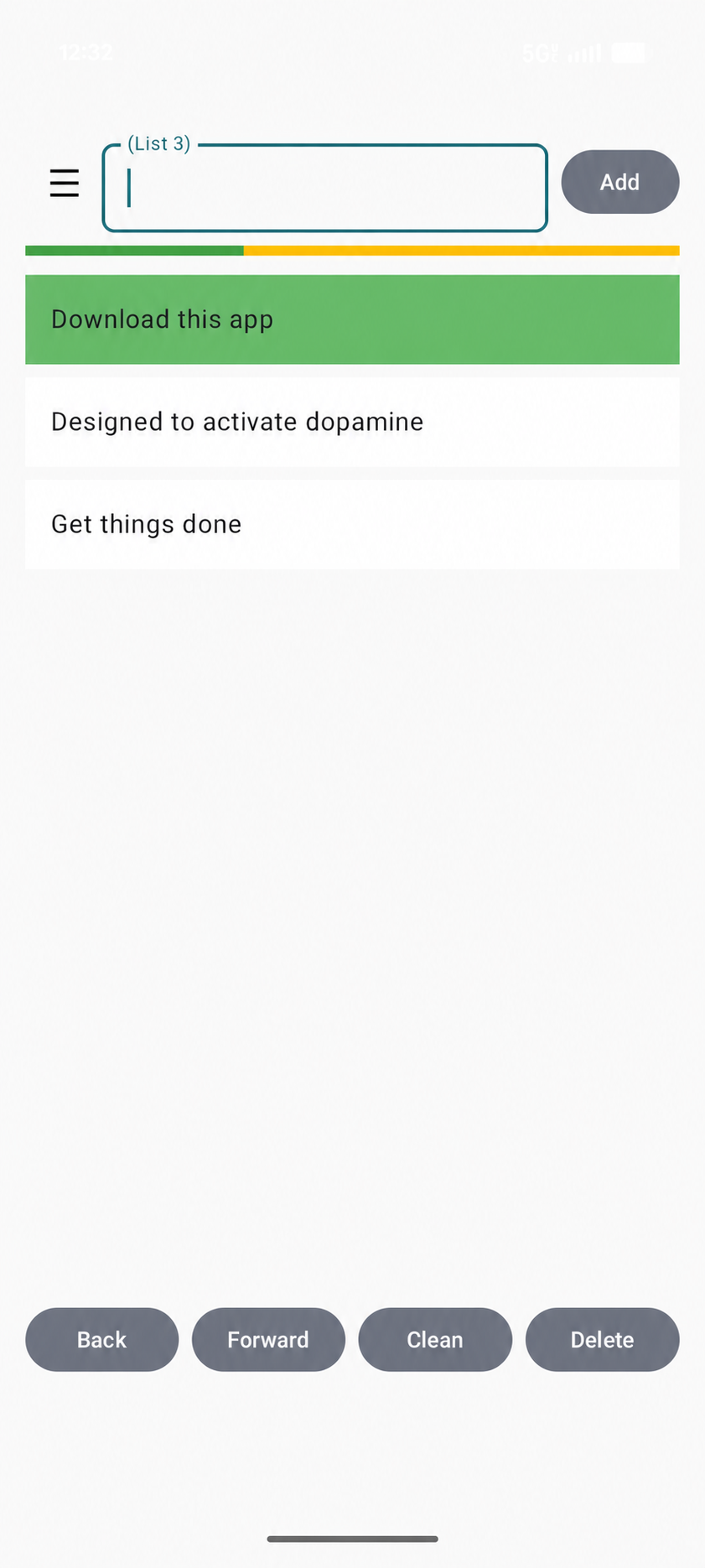
Daily List is a simple task and checklist app. Create daily to-do lists, drag tasks into order, save reusable routines, set reminders, and watch your progress as you complete each task.
Daily List Planner is available for iPhone and Mac on the App Store and for Android on Google Play.
Windows preview
Keep lists on your Windows PC and use your Daily List account to synchronize with your other devices.
Version 1.0.0 · Windows 10, 64-bit · 32.3 MB
This is an early preview with an unsigned installer. Windows may display an Unknown publisher or SmartScreen notice. Digital signing and Microsoft Store distribution are not included in this preview.
Download Windows preview (.exe)
SHA-256: 45eebcc8f79613a363b8fde4df7d72a029c604d31a64b5a0830058f4150178dd
Need help? Contact Daily List support. Read the Privacy Policy.
A closer look
Watch Daily List Planner’s task and list workflow on iPhone.
Built for the everyday
Daily List keeps planning straightforward and makes each completed task feel like a small win that helps you keep going.
Start with a clear list of what matters today, then focus on one task at a time.
Watch the progress bar fill as you check off tasks, then celebrate with a congratulations screen when the list is complete.
Choose a reminder after a set number of hours since you last used the app, or set one for a specific time every day.
Make separate lists for your day, errands, shopping, work, and anything else you want to remember.
Save lists like your grocery run or travel packing checklist, then load them again whenever you need them.
Use multiple lists and color choices to keep things easy to recognize and pleasant to use.
A little tip for getting started
Big tasks can feel hard to start. Instead of writing “Clean your room” or “Clean the garage,” break the job into small, clear actions you can finish in seconds - ideally in under 10. Each check-off gives you a quick sense of progress and can help you build momentum.
Put shoes away. Pick up one thing from the floor. Put trash in the bin. Small steps make it easier to begin.
Put one tool back. Break down one empty box. Move one item to the shelf. Keep choosing a next step that feels manageable.
Check off each action as you finish it. See your progress grow, enjoy the small wins, and let that positive momentum carry you to the next step.
Made for real life
Save a list called “Morning Routine” with the small steps that help you get going. Load it each day to give your morning a familiar, helpful rhythm.
Save your regular shopping list and load it again next time you head to the store.
Keep reusable packing lists for trips, weekends away, or anything else you bring along.
Daily List FAQ
Yes. Save a list such as a morning routine, grocery run, or packing checklist, then load it again when you need it.
Yes. Daily List lets you reorder tasks to put the next useful action where you want it.
Yes. Choose a reminder after a selected number of hours since you last used the app or at a specific time every day.
Daily List stores lists and settings locally and can be used without a Cygnus X account. Versions with optional synchronization send your list library to our server when you sign in and enable Synchronize lists. Mobile advertising and consent services also use the internet.
Yes. Daily List is available through Google Play for Android and the App Store for iPhone.
Yes. Download Daily List Planner for Mac from the App Store for free.
An unsigned Windows 10 64-bit preview is available as a direct download on this page.
Daily List focuses on clear personal checklists, reusable lists, reminders, and visible progress rather than project-management features for large teams.
Read more about reusable daily checklists and the ten-second task method.
Available now
Download Daily List Planner for iPhone, Android, or Mac and keep your priorities in reach.
Your information
Daily List Planner stores lists and settings locally. In versions with optional synchronization, enabling Synchronize lists also stores your shared list library on our server. Read the Privacy Policy for details.